The Best USB Flash Drive

I’ve always been pretty compulsive about the hardware I buy. Several times I’ve documented it on this blog, most recently keyboards, in the past flash drives.

I’m now revisiting flash drives as my current one, a SanDisk Cruzer Titanium is 4+ years old and tiny by today’s standards (2GB). It’s also not exactly speedy. Here’s why I choose the one I did back in 2006:

  • It’s made with “Liquidmetal”, which is insanely tough and can be driven over by a car.
  • Retractable means no cap to loose
  • Reasonable size for what it offers.
  • SanDisk is generally pretty reliable.

Now my needs are generally unchanged. Keep in mind I keep my main flash drive in my backpack which I carry with me most of the time. Last year my travel had me doing 40,916.4 miles. Cheap plastic is out of the question. Same goes for a cap. I use it virtually every day so memory quality is important too.

So my requirements are roughly:

  • Rugged.
  • No cap! Why they aren’t all retractable is beyond me.
  • Reasonable read/write performance.
  • Small size.
  • 8GB+ capacity.
  • Good memory quality. I use it regularly.
  • Did I mention rugged?

SanDisk at least until recently still sells the Cruzer Titanium though it’s no longer using Liquidmetal, and overall is cheaper in quality based on all the reviews I’ve seen. Presumably since Apple now has exclusive rights to Liquidmetal in electronics, it was discontinued. Availability is also limited as well making this not a viable upgrade.

IronKey is way to expensive for what it is, but I like the rugged hardware with the exception of having a cap. Seriously, why aren’t they all retractable? Lexar has the JumpDrive SAFE lineup but it’s got pretty much the same problems. I don’t need the security stuff from either, so it’s not worth it.

Corsair has the affordable Voyager series, but “rugged” to me means more than a rubberized coating on a plastic drive. They also have a Survivor series but that doesn’t really work for me either due to it being fat and somewhat heavy which puts stress on USB ports. That’s also a pain to carry. Being water resistant to 200M is nice, but for practical purposes not really necessary. On the plus side, it’s rather affordable.

So far the leader is the Corsair Survivor. I can’t believe I’m the only one who requires a more rugged flash drive than the typical $5 plastic toys commonly found. I don’t want to be replacing it every few weeks, and want to rely on it. Anyone else in this group? Suggestions?

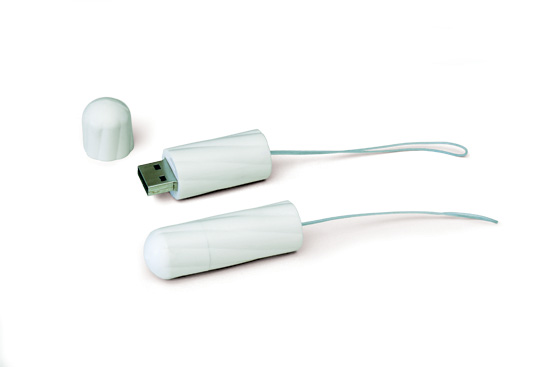
Apple To Use Micro USB?

I mentioned back in September 2007 that cell phone manufacturers were looking to replace their varied connectors with Micro USB meaning most cell phones would use the same chargers and accessories. MacRumors points to a Reuters report that Apple has also agreed to go Micro USB in Europe, which presumably means the US as well.

I personally doubt Apple will just ditch the 30 pin dock connector in favor of Micro USB. I suspect Apple will either bundle a Dock to Micro USB adapter instead or add a Micro USB port next to the Dock connector. Among the many reasons:

  • The dock is essentially “USB+ Firewire + Audio + Video + other”. Take a look at the pinout. It’s much more complicated to get USB audio working than to read line out. For the intents and purposes the dock is as good if not better interface.
  • The dock connector has an extensive list of implementations including many accessories and car audio systems. “Designed for iPod/iPhone” is preferred by Apple over “Designed for mp3 players”.
  • The dock is a proprietary interface, Apple collects a licensing fee for its use in accessories.

Since the dock connector is really “USB+ Firewire + Audio + Video + Other”, a USB adapter is obviously cheap and easy to produce (they already ship a USB cable with all products). Hence I suspect there will be either a Micro USB adapter, or Apple will add the port to the bottom of the iPod/iPhone since Micro USB is very small.

There is still an advantage to having Micro USB. For one charging will become more universal across cellphones. This means car manufacturers, and even airplanes can offer Micro USB to let people charge phones easily via a single ubiquitous low powered interface.

It’s also more environmentally friendly since you’ll be able to buy your own separate higher quality power adapter. No more cheap bundled power bricks known for their phantom loads. Or just charge off your computer. You’ll also be able to use the same charger and accessories with more phones.

I’m glad to see this finally happening.

Edit [6/29/2009 @ 10:00 PM EST]: Pocket-lint says Apple stated to them it will be an adapter.

The $500 Ethernet Cable

I’ve seen this in several sites over the past few days. Apparently Denon decided to put out a $500 Ethernet Cable (AK-DL1). Free shipping via Amazon. I’ll give you few minutes to laugh.

Hopefully your now under control. As pointed out in various places like Slashdot and all the links in the paragraph above, the only thing possibly unique to this cable is a thin piece of foil. Considering it’s use, that likely has no material difference. Someone will still purchase it despite a variety of cables that are almost unquestionably of equal or greater quality and cost less than 1% of that one.

I’m convinced cabling is the biggest scam in the electronics industry today. It amazes me that the “pros” use $5-$25 generic cables while the novices spend hundreds on gold plated, shielded, USB, speaker, ethernet cables. For some reason USB seem to be the most abused (though never to the $500 level). HDMI is expensive to begin with, so while it’s still abused, percentage wise it doesn’t seem to be to the same degree. Not exactly sure why, but even SCSI was never subjected to this level of price variation.

This reminds me of the coat hanger cable experiment a little while back (among others). A modern classic.

It’s a sad state of affairs that you can’t just walk into a store and by a reasonably priced good quality cable these days.

A few months ago I ordered a USB cable where shipping cost more than the product. Still cheaper than going to the store. I should add that cable works perfectly. It’s actually better than anything I could get at a store since it didn’t come in one of those plastic packages that cut you when you open it (which should be outlawed by the way). Just a sealed plastic bag with a sticker on it.

USB, HDMI, speaker cables might be overpriced, but it’s nothing compared to the $500 Ethernet cable.

Edit [6/20/2008]: Network World has a nice rundown of it.

Micro USB For Cell Phones

Replacing a cell phone is one of the most insane upgrades ever. Not only do you replace the device (often with a new service plan for 2 years), but you’ve got to replace accessories in most cases, especially if you change manufacturers. Sometimes even the same manufacturer can have different connectors for the same accessories, depending on the phone model. Lets not forget the cost of these accessories. It’s a silly process. At least with computers most of your accessories plug in fine provided they are remotely modern (made within the past 4 years).

Several manufacturers including Nokia, Samsung, Motorola, Sony Ericsson and LG have now standardized on Micro USB meaning that future phones will use the same connection. Not only that, but it’s USB, so just like your computer. A few cell phones currently use Mini USB (such as Motorola cell phones). Micro USB is even smaller, which should be sufficient for a few years until cell phones become no more than a piece of paper. You can see a picture of various USB sizes here. Advantages of using USB rather than another standard include that it’s powered (meaning you can charge with it), is compatible with virtually all PC’s (meaning you’ll be able to charge your cell phone from your PC, or even transfer data if your cell phone’s software allows), and it’s pretty fast.

Having one standard means that like we see for Bluetooth devices, there will be a ton of options for consumers to choose between. Not just 1 data cable, a handful of charger, etc.

Of course that means pretty much everyone will need to buy Cell Phone accessories at least one more time. But hopefully when you do, you’ll buy ones that last.

USB Keychain Madness Results

Sandisk Cruzer Titanium

A few weeks ago I noted that I’m looking for a USB Flash Drive that’s good enough to sit on even a keychain if I desired. I looked at about 100 models available and compared/contrasted them all quite a bit. In the end the Sandisk Cruzer Titanium 2GB won. It came yesterday giving me a little time last night, and today to really check it out.

Construction

It’s really strong. At the point where I have no doubt it could be stepped on with no ill consequences other than a scratch if there’s some sand or other sharp matter on the floor. The retractable functionality is smooth and locks in place well. Very little wiggle room. The finish looks great, very professional looking. No question it stands out among it’s cheap plastic competitors.

It came with a lanyard that could be attached to the keyring on the back corner of the device as well as a metal belt clip that can be hooked on (surprisingly secure). The one flaw I did note is the really small ring that your keychain would connect to is rather thin and feels a little weak. I’ll likely take the small ring from the next free keychain with a thicker one. So that’s not a fatal flaw.

The real winner is the solid construction, and the slide action instead of using a cap. It makes this a really durable product with no cap to loose.

Performance

Not much else to say about it, but fast. Very fast. Read/Write are both very good so I’ve got no complaints in this department.

Software

Not even sure why this is something worth mentioning (I did buy a hardware not software). The drive comes with “U3″ which is SanDisk’s attempt at a portable application suite (where your app and all data go with you). This is rather flawed for a few reasons:

  • You need admin access to run U3 itself, making it pointless in some situations and not something to rely on.
  • Somewhat limited availability of applications designed for U3.
  • Seems a little buggy.
  • No good if your a cross platform person.

Ultimately I decided after about an hour to ditch it. Most of the applications I want to carry with me are available through PortableApps.com. The advantage here is that I don’t need any admin access rights on a system, and can install a Mac version in parallel to the PC version on the drive (Mac version not included). I wouldn’t mind if they made Avast as a Portable app, rather than only available via U3. That’s really the only application U3 had that I wouldn’t mind having. I do have ClamAV though.

Also came with a month of free voicemail from Skype.

Conclusion

U3 is a little buggy, just not worth while for me personally. Perhaps for someone else it’s perfect. The hardware is what I really was interested in, and it seems to be pretty much perfect. It’s really solid and no cap to loose.

USB Keychain Madness

USB Flash drives stink. They are either really poorly designed (causing them to break quickly) or to expensive to be practical in to carry on you.

I want the following:

  • USB 2.0 with actual fast transfer (not all are fast)
  • Between 2GB – 4GB capacity
  • Rugged – this means a cap that doesn’t fall off and get lost quick, the ability to attach to your keys (or thin enough to fit in your wallet), and solid construction that you could step on without any fear at all of cracking.
  • Small Footprint – some are a little wide which can make them hard to use in some situations where USB ports are close together.
  • < $100 Price tag

For a 3 years now I’ve had a “JumpDrive Secure” 512MB. It’s served me well, but I need more speed, and more capacity than this one offers. So I need to move up. It’s rugged, but the cap isn’t that great (the only reason I didn’t lose it is because it was in my backpack for most of the 3 years). It’s also rather wide. It’s about time to retire it and look for something more appropriate. I avoid mine lately because it’s either too slow or small, or it just doesn’t fit.

So far the contenders are:
Lexar JumpDrive Sport – this drive has a nice rubber cap that surrounds the entire thing, and attaches to a keychain. That’s pretty secure looking. It’s also available in 2GB.

JumpDrive Lightning – this drive is stainless steel! And fast! The downside is it’s price tag. It’s a bit on the expensive side, and the cap must not be that secure, because you can buy a kit of 3 replacements for a few dollars. Loose caps aren’t cool.

Corsair Voyager – 2GB and 4GB are actually really cheap, and it’s rubberized! But on the downside, the loop for the keychain is only rubber (no metal reinforcement according to Ars Technica’s review). And it’s a bit bulky. Again, loose cap.

Apacer Steno – reasonable price, and a pretty innovative design to help you never loose the cap! On the downside performance isn’t that great, and it’s just plastic.

SanDisk Cruzer Titanium – a little on the expensive side, but strong (rated up to 2000lbs.) and no cap to use (it just slides out). On the downside it’s a little on the expensive side.

OCZ Ultra Slim Mini-Kart – insanely small! Fits in your wallet and surprisingly affordable. But how durable can this be? Especially in your wallet.

Right now I’m leaning towards the SanDisk Cruzer Titanium because of it’s size, performance, and strength. Not to mention the cap free design.

Ubuntu Live Trial

On Monday, I decided to see if Ubuntu’s Live CD was good enough to work for the week. I put the CD in, rebooted, and said “no Windows until Friday”. Surprisingly, it recognized all the hardware in my Thinkpad T43 (at least all that I cared enough about to notice), and actually did a good job. With 1.5GB of RAM in this monster, it was rather smooth once it loaded. My only gripe is that it didn’t have an easy way to save the session to a USB flash device on shutdown, and allow it to re-init based on that session next restart. If the Live CD was smart enough to do that, it would have been truly perfect.

OpenOffice did the trick, as did Firefox. Really had no issues at all. Printing worked, so did networking.

Live CD’s are definitely useful. Find a computer that doesn’t work in a lab? Just put in the CD, and you can use it without problems.

Really says a lot for Linux. Ubuntu is definitely a great distro, the best I’ve seen so far. Now if I had a bigger hard drive, I’d have a partition for it. Eventually I will… I hope.

The ultimate backup solution

Ok, thanks to my whole laptop situation, I’ve decided I need a real backup solution. So here’s what I’m contemplating:

I’m wondering if I can effectively partition it? Save 80GB for laptop backup, 80GB for Mac Mini Backup, and 40GB for Linux Backup (those are drive sizes, not file sizes, yes I know 250GB isn’t really 250GB. That way I can back everything up rather well, and still have a little space left over. A firewire drive is faster than the internal mac mini drive, so I can use it as a scratch disk when compiling Firefox on the Mac for a performance boost. Carbon Copy Cloner (free), SuperDuper ($19) are good options on the mac side for backup.

And that backup system will cover 2 computers. I’m thinking when I finally get my new hard drive, that’s going to be my backup solution.

USB drives to get smarter… with Firefox?

CNet has an interesting article up on Smart Drives. They are similar to USB Drives, though:

They developed a technical specification that lets consumers carry their entire desktop, including programs and personal preferences, with them as they travel between home and office. The specification even allows users to launch software and remotely access data on any Windows XP or Windows 2000 PC.

Will it take off? So far supporters include:

eight hardware manufacturers and 32 software companies supporting the U3 spec, including RealNetworks, Skype, TrendMicro and the Mozilla Foundation.

emphasis mine

It’s a really interesting concept, and something I’d really like to get my hands on. My only gripe is no word on cross platform support. My ideal drive would allow me to have data on any platform, and put binaries for each platform I want. So I can put my Mac Firefox, and Windows Firefox on there. And no matter what computer I use, I’ve got Gecko.

This technology would be great for allowing users to always have their prefered browser with them, regardless of what computer they use.

Still early on, but I hope they think about cross platform technology. Looking at technologies that took of, and those that didn’t, it’s clear cross platform is important. People don’t like the idea of needing specific requirements to use something. They just like to go. That’s why USB took off. Most devices work on any computer, and platform. I can take just about any mouse, and plug it in on any computer, and it will work. It’s why Apple’s ADC monitors were silly, but VGA, and DVI aren’t. It’s why Firefox is a wise business move. Why not have one browser for all platforms, rather than IE for Windows, Safari for Mac, Mozilla for Linux. But I digress. Cross platform functionality is important.

I’d love to see such technology in servers as well. It would be great to get zero config networked computers in a home. With many people having several computers in their house these days this is a big problem. Set up a wifi network, use one computer as a server, and let people login and access their files and programs. Essentially the server is just a disk (just like a USB drive).

Oh the possibilities!