The Presentation
As usual I keep tabs on all the major Apple events using pretty much all the top tech sites that run “live blogs” and the like. This year none failed completely though I think they all were overcome with traffic at one point resulting in a failed load attempt. Not bad. This year I threw twitter into the mix. That was pretty interesting itself. Kevin Rose pointed out a decent audio feed. I did this in the background while I worked.
One thing I did note is that the parade of iPhone Apps got pretty painful after a while. Just wanted to yell out “we get it… cool apps built quickly… move on!”. For those who were following along at home, my predictions were mostly right (yay me!).
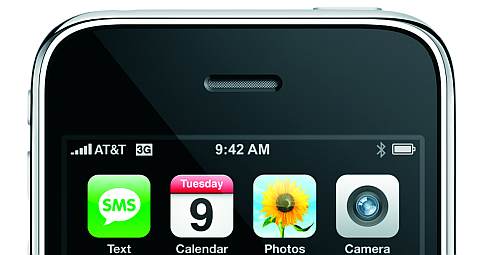
iPhone 3G
To me, this was really what the announcement was all about, and I’ll explain why a little later. The obvious big gain is the performance of 3G. This will win over a lot of people who just couldn’t imagine paying that much and surfing the web with EDGE. Another awesome addition is GPS support. It’s notable since geolocation is the “next big thing” [I should note update GeoLocateFox… I was ahead of my time]. I suspect there may be a few other goodies under the hood of this new iPhone that have yet to be revealed due to the suspected chipset. If Apple doesn’t unleash the full power, hackers will. Rest assured.
The real big thing here is that the phone is now much cheaper with a much more reasonable amount of storage on board. $299 for the 16GB model and $199 for the 8GB model. This is substantial for a few reasons. Besides obviously saving some cash, it makes the phone suddenly a possibility for people who would have never shelled out the original sticker price.
AT&T’s pricing looks to be $30 for unlimited data. The cheapest Voice/Data combo you could do would be $69/mo. That’s $10 more than it was for the first generation. Presumably that will help curb the cost of the massive 3G upgrades they are doing and subsidizing the iPhone’s hardware costs.
iPhone Apps
Pretty impressive demos from the screenshots I’ve seen. I’m really interested in more basic stuff should I get an iPhone. SSH, FTP, Email that doesn’t suck. I’d prefer to read/write office docs, but I guess I can always use something like Google Docs, which I’m sure will support the iPhone at some point if it doesn’t already.
Rather disgusted that I haven’t seen anything really change in terms of Application distribution or licensing. Apple is still very prohibitive of what it will allow. Don’t hold your breath on Firefox or Java anytime soon.
Apple will let you distribute Apps for free (how kind of them), but you still need to pay $99 to provide a free Application:
Standard Program $99
The Standard Program is for developers who are creating free and commercial applications for iPhone and iPod touch.
How about no charge for Applications with an OSI approved license Apple? Seems fair. No charge, and you get more software to make your ecosystem look more attractive.
Strikes me as pretty lame that a developer needs to pay $99 so Apple will let others use software for free.
- Disable download/install functionality.
- Charge $99 to distribute applications, even if they are free.
- Profit!
MobileMe
I was wrong regarding the use of MobileMe. Sadly it still doesn’t seem to fit the bill for something worth $99. Google provides most of the functionality pretty nicely. I suspect Google Calendar will get some iPhone sync love in the near future. In my opinion would have been better to just partner with Google and offer something really awesome and let Google monetize it. I suspect they didn’t do this because of the whole Android thing.
Jailbreak
Jailbreak is far from dead. The SDK isn’t open enough to kill off Jailbreak. Expect it to live on an coincide with Apple’s efforts for some time to come.
Mac OS X 10.6
Damn you NDA… would someone start leaking the goods 😉 . There’s some basic info out there, but nothing really juicy yet.
Photo Courtesy of Apple